
Terminal & SSH
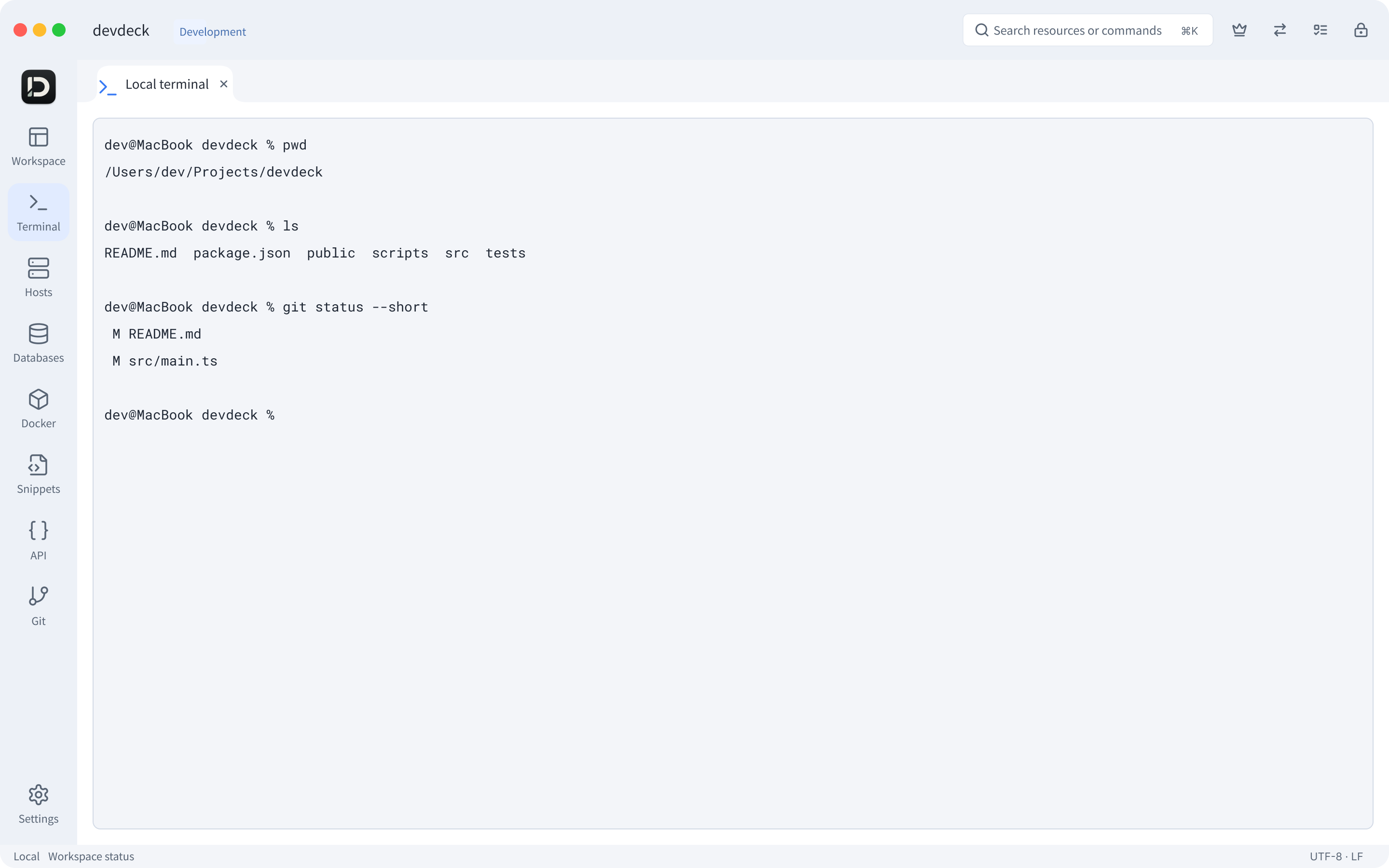
Local commands and remote sessions, in a familiar native terminal.
Local commands and remote sessions in one workspace.
Tabs & split views / Connections / Session context
For macOS and Windows · Terminal / SSH / Databases / Docker / API / Git
Terminal / SSH / Databases / Docker / API / Git
From terminals and remote files to databases, Docker, API requests and Git. devdeck brings your daily tools together, so you can focus on the work.
Terminals, files, databases, containers, APIs and Git. Keep your daily work in one workspace.
Native terminal, tabs and split views. Work the way you know.
Keep terminals, files and databases in context.
Familiar desktop interfaces and keyboard workflows
Keep your workspaces and connections in your hands.
ONE WORKSPACE, YOUR WORKFLOW
Organize resources by project. Connect terminals, remote files, databases and Docker in one workflow.
Local commands and remote sessions, in a familiar native terminal.
Local commands and remote sessions in one workspace.

Browse side by side and drag to transfer. Keep local and remote folders connected.
Browse and transfer files side by side, in context.

Write queries and explore data, right inside your development workflow.
Write queries, browse data and inspect results.
DOCKER IN YOUR WORKSPACE
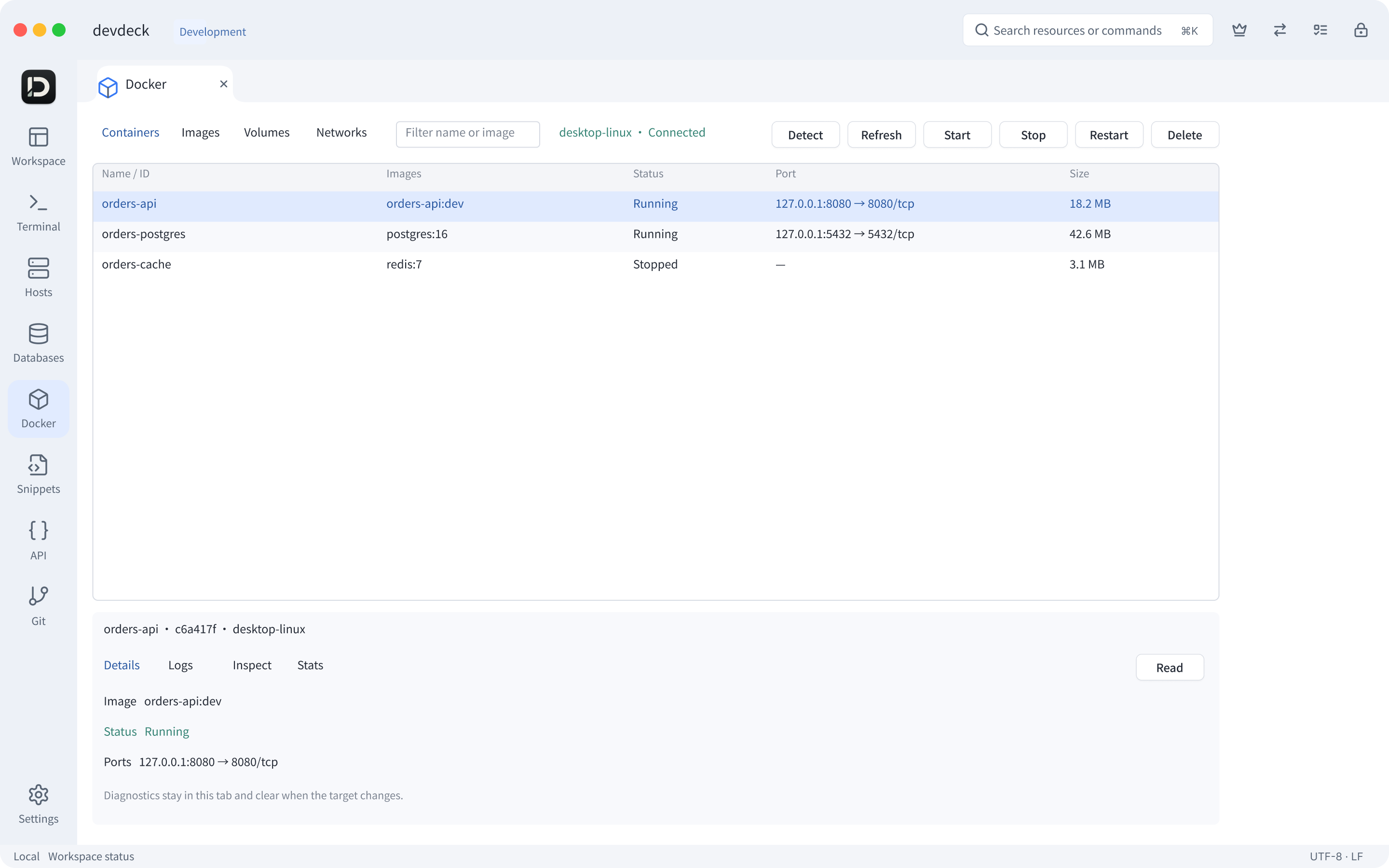
Manage local Docker in devdeck, from environment detection to running containers. Keep containers, terminals and databases in one workflow.
Manage containers, images, volumes and networks in one workspace. Inspect logs and metrics, and prepare your local container environment.
Check status, start or stop containers, and inspect logs and resource usage.
Browse local Docker resources and review the impact before making changes.
Detect your local engine and get guidance to install or start Docker Desktop.
HTTP, IN CONTEXT
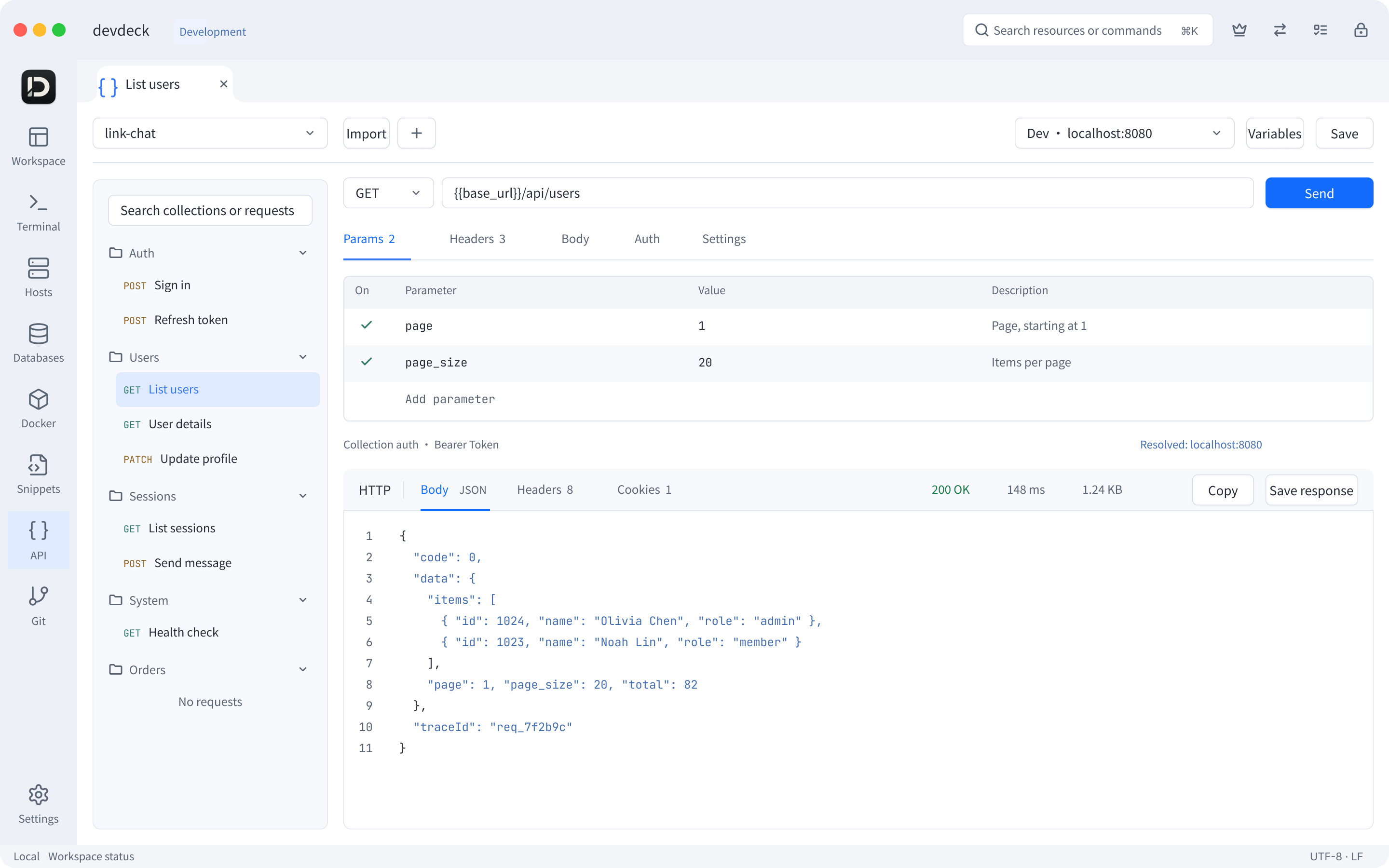
Organize request collections by project. Switch targets with environment variables and authentication. Inspect status, response bodies and headers in the same workspace.
HTTP requests / JSON bodies / Environments / Postman importREVIEW, THEN COMMIT
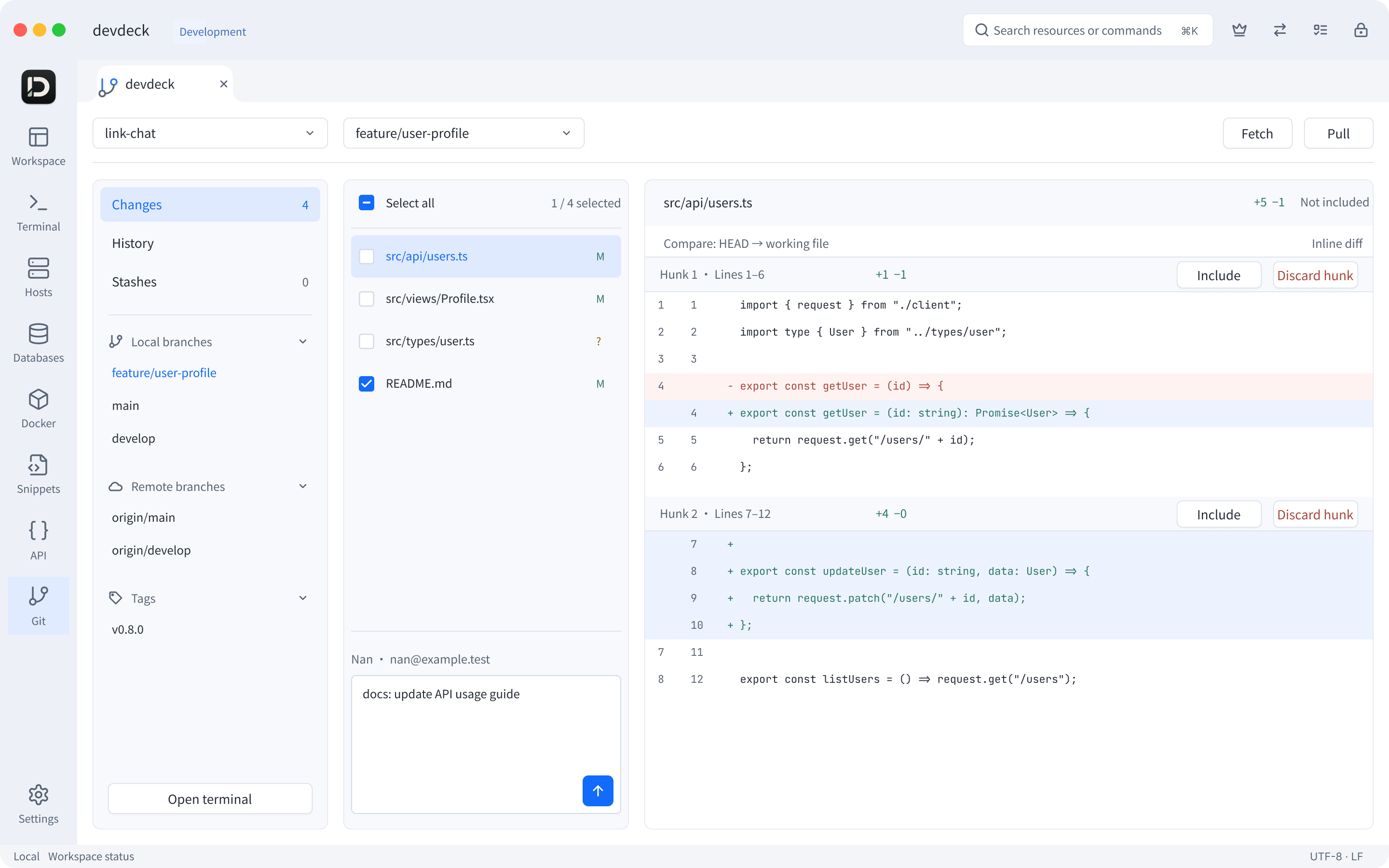
Review file diffs and select files or individual hunks for your commit. Browse branches, history and stashes together, then return to the terminal whenever you need it.
File and hunk diffs / Selective commits / Branches / HistoryDATABASES
One resource catalog. Familiar workflows for different data models.
See the current release notes on the download page for supported engines and versions.
Try devdeck first. Then choose the license that fits.
FAQ
Supports macOS and Windows. macOS targets Apple Silicon, and Windows targets x64. See Downloads for installation requirements and release availability.
After purchase, get your license using your order email, then enter it in the app to activate.
Yes. Download the trial and decide whether to purchase a license after trying it.